A voice impression party game

The Choicer Voicer

Listen to a reference line, take the mic, and let the judges decide. The studio is open — all it needs is your voice. Free to play in your browser, no download.

The studio is warming up…

Free browser play Microphone ready Single + Local + Twitch No download, no signup
Share: f X W R

Studio not loading? Open the game in a new tab ↗

about the game

What is The Choicest Voice?

The Choicest Voice is a free, browser-based voice impression party game created by Dabolus. A reference clip plays, then it is your turn to recreate it into the microphone. The judges listen for the details that make a voice memorable — its pitch, timing, texture, and feeling — and score your delivery.

Build a session around voice packs, bring friends into the same studio, or warm up alone before a stream. Every round is quick to understand, but no two performances ever sound the same. The game is built on the open web: nothing to install, nothing to unlock, and nothing between you and the mic.

Open the studio
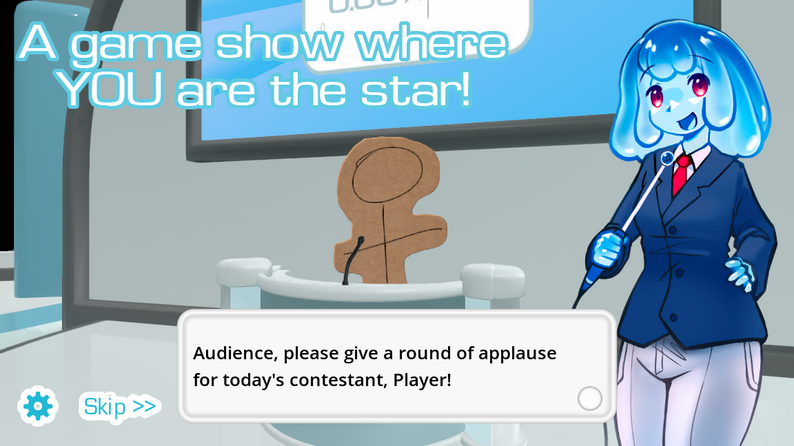
The Choicest Voice studio scene with a microphone and stage setup
Every session begins in the studio.

choose your way to play

Make it a whole show.

Four built-in modes cover the same microphone loop. Pick the one that fits the room.

01 — Solo

Single-Player

Play through judged rounds on your own. The fastest way to learn a pack, test your microphone, and figure out how the panel reacts before inviting anyone else in.

02 — Living Room

Local Multiplayer

Share one studio with up to four players. Take turns performing, assign each microphone before the first round, and keep unused inputs muted so one voice does not bleed into another turn.

03 — Stream

Twitch Chat Mode

Let your audience participate through chat commands. Use chat-focused packs when you want viewers to contribute more than a vote from the sidelines — they can even get their own clip to vocalize.

04 — Voiceover

Dub Mode

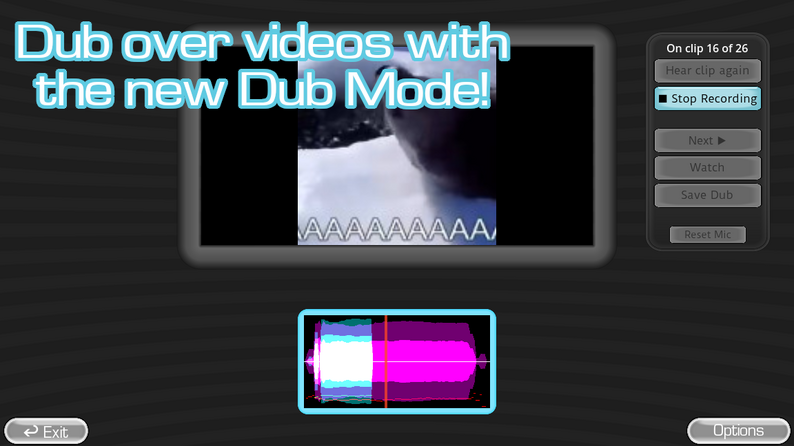
Move away from short scored prompts and record a longer voiceover pass. Test a short clip first before committing to a full scene — sync issues show up fast on a long take.

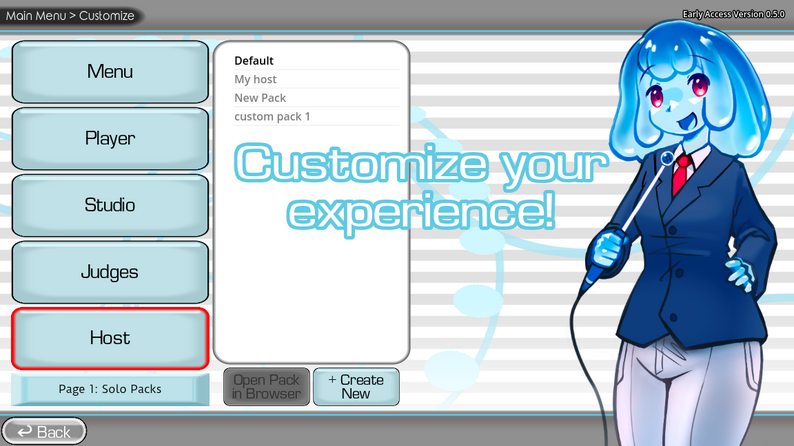
The Choicest Voice Customize menu showing studio, player, judges, and host options
The Customize menu is where you shape the studio around a pack instead of treating it as a fixed mode.

inside the studio

What the studio looks like

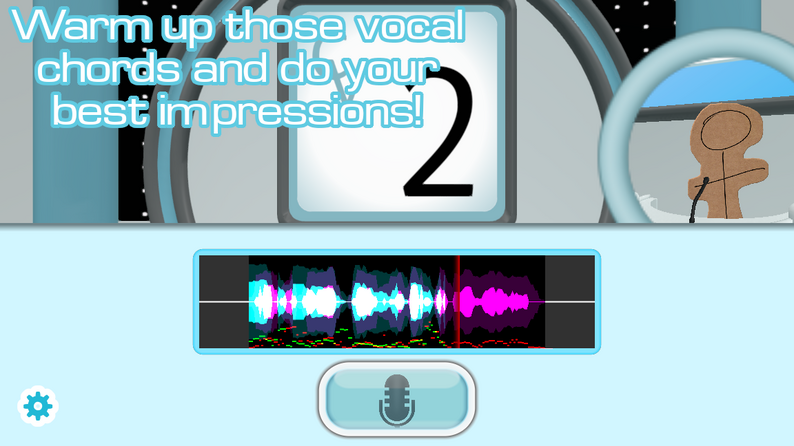
A quick look at the screens you'll meet in the first few rounds: the cover art, the microphone panel, and the clip you are about to imitate.

why it sticks

What makes The Choicest Voice worth playing

The strongest thing about The Choicest Voice is how ordinary the setup feels until it does not. The first clip looks like a sound check. By the third round, the studio already knows what kind of line you are about to deliver.

Browser-only, no download

Runs in any modern browser. No installer, no account, no email. Press Play and the studio opens inside the page above.

Microphone-first

The whole game is a chat window, a reference clip, and a microphone. Your voice is the controller — and the funniest moment is usually the one you didn't plan.

Voice packs you can build

The library is meant to be filled. Load a community pack to start playing immediately, or build your own collection around a character, mood, or group of friends.

Single, local, or Twitch

One mic, four mics, or a Twitch chat — the same judged-round loop fits solo practice, living-room play, and streamed shows without rewriting the script.

Open scoring surface

The exact judging formula is not documented, but the panel consistently rewards pitch and texture, timing, emotional commitment, and clean audio.

Dub Mode for longer takes

Step out of scored prompts and record a longer voiceover pass. Useful for streams, reels, or just hearing how a full scene feels in your voice.

Audience Note

The Choicest Voice is a voice impression party game intended for general audiences, but the microphone is the whole point. Players who are not comfortable speaking out loud in front of a chat, or who prefer a quiet browser session, will have a better time with the game's Single-Player mode than with a Twitch Chat round.

If you are sensitive to loud performances, sudden feedback, or scripted audio that has not been reviewed for content, take breaks between rounds. The site itself does not record, store, or upload your microphone input; the studio only listens while a round is in progress.

your library

Voice packs unlocked

Tap to check off the packs you've tried. Saved to this browser.

0 / 6 packs tried

before the first round

Tips for a stronger impression

  1. Start with material you know by heart

    Familiar lines make it easier to focus on delivery instead of remembering the words. Save unfamiliar material for later sessions.

  2. Listen for landmarks, not just the words

    Notice where the speaker speeds up, where a long pause sits, and which syllable gets the most weight. Copying those landmarks makes a performance recognizable even if your natural voice is completely different.

  3. Match pitch and texture, not the volume

    Follow the shape of the original voice — breathy, nasal, clipped, or gravelly — instead of forcing yourself into an uncomfortable register. Texture often matters as much as the notes themselves.

  4. Run a quick microphone check

    Have each player say one short line while the others listen for volume, delay, and background noise. Fix the quietest or noisiest input before starting a scored round.

  5. Make one specific choice on the second take

    Replays are more useful when you decide in advance which detail you are changing — timing, emotion, or vocal texture. A planned second take usually beats a casual one.

  6. Keep the first round low pressure

    Let everyone learn the timing once. Players perform more confidently after they understand when the reference ends and their own recording begins.

before you press play

Set up your microphone and room

Browser microphone access

The studio asks your browser for microphone access the first time it needs to record. Look for the small camera or mic icon beside the address bar; clicking it lets you allow, block, or pick a different input device.

Pick the right input

Confirm the intended microphone is selected in your system settings. Close other apps that may be using the mic (Zoom, Discord, a voice recorder), reload the page, and start the round again. The site itself does not upload your audio anywhere.

Distance and room

Reduce music, television audio, fans, and nearby conversations when possible. Place the microphone at a comfortable speaking distance rather than directly against your mouth — too close clips the audio, too far picks up room echo.

If your input is surround or virtual

Some surround-sound or virtual-audio setups confuse the embedded studio. If the game cannot hear you, try a standard stereo input first, then return to your preferred setup once you know the studio is working.

keep the night going

More Free Romance Games

Seven small free browser games in the same room. Tap a card to launch the game in its own page.

All embedded games remain under their original provider's control. The Choicest Voice is built and maintained by Dabolus; the browser games on this page are embedded from GameMonetize for free in-browser play.

"Press start, listen close, take the mic. The first line you record is rarely the one that gets remembered — but it is usually the one that breaks the room open." — A pattern from a hundred voice rounds, condensed into one line

common questions

The Choicer Voicer FAQ

Quick answers about The Choicest Voice, the studio, voice packs, and this independent fan portal.

What is The Choicer Voicer?

The Choicer Voicer is an independent fan portal that hosts the playable build of The Choicest Voice, a free browser-based voice impression party game. It is not the developer's official website and is not affiliated with Dabolus — it is an unofficial convenience site for playing the game in your browser.

Is The Choicest Voice free?

Yes. The Choicest Voice runs entirely in your browser and is free to play. No account, no installer, no payment. Just press Play and allow microphone access when the studio asks for it.

Does the game need microphone access?

Yes for the voice impression rounds. Your browser will request permission the first time the studio needs to record a take. You can review and revoke that permission at any time in your browser's site settings for choicervoicer.online.

Can I play alone?

Yes. Single-Player uses the same judged-round format and is the easiest way to learn a voice pack and test your microphone before inviting anyone else.

How many people can play locally?

Local multiplayer supports up to four players sharing a studio session. Assign each player's microphone before starting a round so one voice does not bleed into another turn.

Does The Choicest Voice support Twitch chat?

Yes. Twitch Chat Mode lets your viewers participate through chat commands, and chat-focused voice packs give viewers their own clips to vocalize.

What are voice packs?

Voice packs are the collections of clips and prompts the game uses for each round. You can load community packs to start playing immediately, or build your own collection around a character, mood, theme, or group of friends.

The studio is silent or my microphone is not detected — what now?

Check the browser's microphone permission for choicervoicer.online, confirm the selected input device in your system settings, reduce background noise, and try a standard stereo configuration if you use surround or virtual audio. If everything looks right, reload the page and try again.

Is this the official The Choicest Voice website?

No. This is an independent fan portal for The Choicest Voice. The game, its characters, artwork, and audio belong to their creator (Dabolus). This site is not affiliated with, endorsed by, or presented as the official website of the game.

Can I play The Choicest Voice without downloading anything?

Yes. The browser game streams directly into the player at the top of this page. No download, no install, no signup. You only need a current browser and, for voice rounds, a working microphone.

about this portal

About choicervoicer.online

This is an independent fan-built browser portal for The Choicest Voice by Dabolus, plus a small curated catalog of free casual browser games to keep the night going. It is not the developer's official website and is not affiliated with the original creator.

The Choicest Voice and all in-game art, characters, voice packs, and audio belong to their respective rights holders. The browser games on this page are embedded from their original providers (GameMonetize) for free in-browser play; their availability, advertisements, controls, and future updates remain under those external providers' control.

If you enjoy story-driven browser games, voice-driven party games, or just want something to play without installing anything, choicervoicer.online is meant to stay small, fast, and respectful of your time and your microphone.